
How to Save Routes and Download Maps Offline on Google Maps (Mobile & Desktop)
Description
In this video, we'll show you how to save your routes on Google Maps, both on mobile and desktop, and how to download maps for offline use. This is perfect for those with spotty internet connections or for planning ahead! 📚 Chapters Breakdown: 0:00 - Introduction 0:17 - Saving a Route on Google Maps (Mobile) 1:14 - Finding Your Saved Route (Mobile) 2:07 - Adding a Route to Your Home Screen (Mobile) 2:44 - Downloading Maps Offline (Mobile) 3:55 - Saving and Sharing Routes (Desktop) 🔧 Step-by-Step Guide: 1️⃣ Save a Route on Google Maps (Mobile): ➖ Enter your start and destination points. ➖ Choose your route and tap "Save" to keep it in your saved routes. 2️⃣ Find Your Saved Route (Mobile): ➖ Go to "Your Places" in the Google Maps menu to view your saved routes. 3️⃣ Add a Route to Your H
 13:19Offline Rock Climbing Mobile Maps Clinton Lunn & Nathan MusokeOpenStreetMap US
100 views
 3:22How To Use Google Maps OFFLINE (iOS & Android)ZachDrivesFast
45.5K views
 5:14ATAK Offline Maps TutorialCOTAK
26.7K views
 4:55How to Use Google Maps Offline (+ a BETTER option) | Offline maps and navigation appProject Untethered
386K views
 2:55How to download maps to use offline on iPhone and iPad | Apple SupportApple Support
264K views
 2:02How to Download Offline Maps - Google Maps TutorialGauging Gadgets
273K views
 2:49How to Use Maps Offline - No Service, No Wi-Fi Needed!Don Mammoser Photo
41.8K views
 15:41Organic Maps: FREE OFFLINE Maps for Hikers/Bikers!DeathfireD
15.5K views
 5:186 Best Offline Navigation Apps for 2026 - The Offline Maps in TownMK Loves Tech
45K views
 11:43All in one offline map mobile app. Best mapping App.GeoTech Expert
41K views
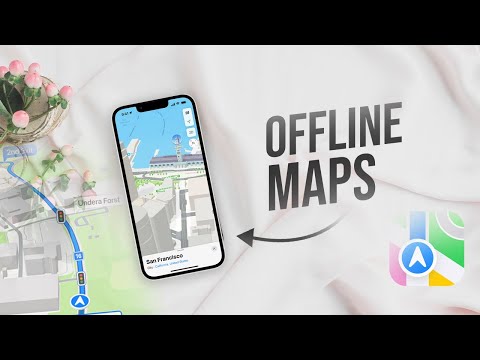 4:32How to Use Apple Maps Offline (tutorial)Foxtecc
53.4K views
 2:16How to Download Offline Maps on Android (Use Google Maps Without Internet)Quick Tutorials
5.3K views
 2:27How Offline Maps Work Without InternetTech·WHYS
619 views
 2:38OS Maps app - Downloading Offline MapOS Maps
9.8K views