
this Raspberry Pi belongs on your wall
Description
This video is sponsored by NetworkChuck Coffee. Grab a bag of Default Route (my favorite) and fuel your next build: https://ntck.co/coffee Raspberry Pi sent me the new Raspberry Pi Touch Display 2, the 10 inch portrait version, and I mounted it on my studio wall to run all my Home Assistant and homelab stuff. It is a gorgeous little screen (1200x1920, real IPS, 10 finger touch, 400 nits) and at $80 it is a steal. There is one catch though, and a lot of you are not going to like it: this thing only works on the Raspberry Pi 5 and the Compute Modules. Your Pi 3 or Pi 4 will not work at all. In this video I unbox it, walk through everything that is new versus the old touch display, hit a wall when it powered on and did absolutely nothing (turns out you have to update the firmware on your Pi
 19:50All the WEATHER you need - 18 internal integrations in Home AssistantBeardedTinker
37.4K views
 2:03:27Home Assistant 2026.3 Release PartyHome Assistant
11.3K views
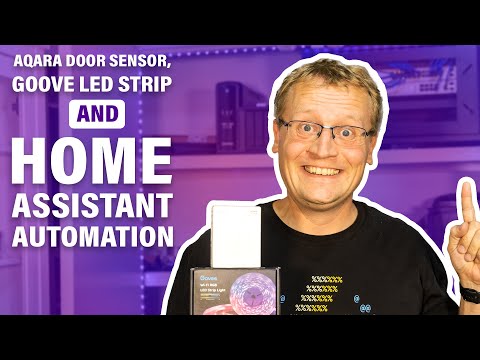 18:42Aqara Door Sensor, Govee LED Strip and Home Assistant AutomationLars Klint
18.6K views
 0:32Demo: Zigbee interference caused by USB 3.0Home Assistant
72.1K views
 0:26Xiaomi Switch Gen1 Round Button Home Assistant DimmingBadger Home
8.5K views
 2:23Epic wake-up using Philips Hue and Home AssistantCraig Midwinter
75.1K views
 13:15How to use Trigger IDs in Home Assistant - TutorialSmart Home Junkie
87.3K views
 10:01How to Use Automation Modes in Home AssistantSlackerLabs
8.3K views
 0:48OpenEVSE Voice control via Google Home mqttOpenEnergyMonitor
1.5K views
 13:46Node-Red Raspberry Pi Updating & SecuringRichard Wenner
19.4K views
 1:28Scenes example Home AssistantJimz011
2.5K views
 11:41Improve Zigbee network performance and stability with these 3 tipsHome Automation Guy
235K views
 2:41Concept Emoncms Device Wizardtrystan lea
314 views
 31:44FarmBot: open-source backyard robot for automated gardeningKirsten Dirksen
724K views